Businesses are no longer discovered only through Google Search, Maps, directories, and social media, as people increasingly use AI platforms to compare companies, research products, evaluate services, and decide which ones deserve further consideration. With OpenAI’s introduction of Businesses in ChatGPT, you can now claim your business in ChatGPT and manage your company’s information through Business Hub ChatGPT.
Once approved and verified, you can update important profile details and access available insights about how your company appears and receives engagement on the platform. Because this process differs from traditional SEO or claiming a Google Business Profile, this guide explains what ChatGPT business registration means, how the claim and verification steps work, and what to do after your profile becomes available.

What Does It Mean to Claim Your Business in ChatGPT?
To claim your business in ChatGPT means verifying that you own or are authorized to represent a business listing available through OpenAI’s Business Hub.
Once a claim and required verification are approved, eligible businesses can manage key business details and access features available to their profile. OpenAI says verified businesses may update information, view insights such as mentions and website clicks, and, where eligible, use additional features such as product feeds or business agents.
The important distinction is that claiming a business does not give the company control over ChatGPT’s independent recommendations. OpenAI explicitly states that claiming a business does not guarantee higher placement or sales. ChatGPT may continue to use information from other sources when generating responses.
Quick Answer
Claiming your business in ChatGPT allows an authorized representative to verify the business, manage available profile information through Business Hub, and access eligible business features. It does not guarantee that ChatGPT will recommend the business more often.
What Is Business Hub in ChatGPT?
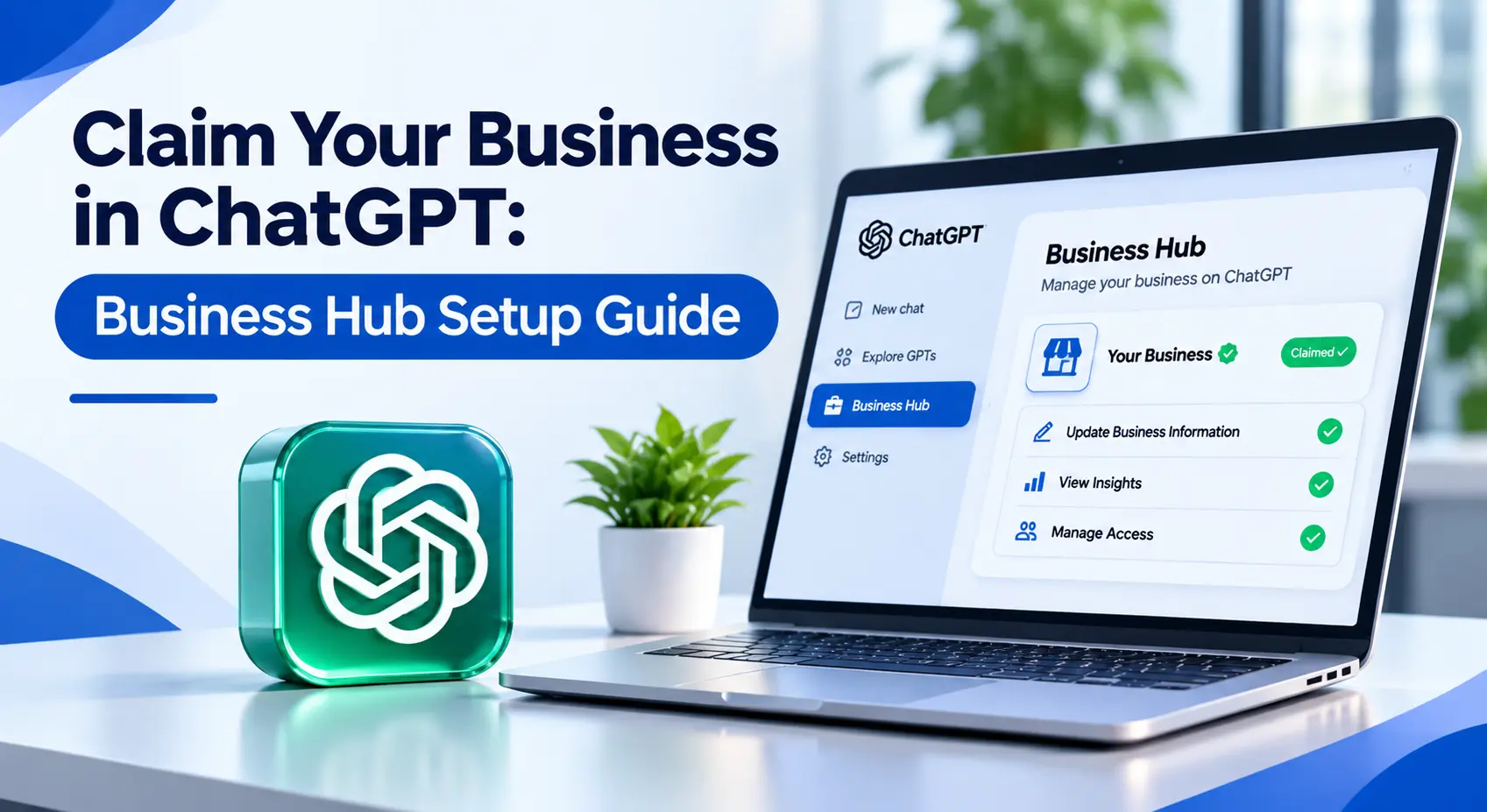
Business Hub is OpenAI’s interface for businesses to create, claim, verify, and manage eligible business listings.
Businesses in ChatGPT entered beta in November 2026. Business Hub provides the management layer through which authorized owners and representatives can access their business information and available tools.
Through Business Hub, an eligible business may be able to:
- Search for and claim its business listing
- Complete ownership or representative verification
- Update business information after verification
- View available engagement insights
- Connect eligible product information
- Add team members or authorized agencies
- Create a business agent where eligibility requirements are met
This makes Business Hub different from simply having information about your company appear in a ChatGPT answer.
A business can potentially appear in ChatGPT even if the company has not claimed its listing. Claiming gives eligible businesses a more direct way to contribute accurate information about themselves.
How to Claim Your Business in ChatGPT
The ChatGPT business claim process begins inside Business Hub.
OpenAI’s current setup guidance describes a claim and verification process that establishes both your connection to the company and your identity before full management features become available.
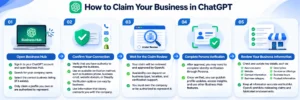
Step 1: Open Business Hub
Sign in to the ChatGPT account you want to use to manage the business and open Business Hub.
Search for your company using its business name.
If ChatGPT already has a listing for your organization, select the listing that accurately represents your company.
Make sure you choose carefully. A business should only claim a profile it owns or is authorized to represent.
Step 2: Confirm Your Connection to the Business
After selecting the business, you will need to verify that you have authority to manage it.
OpenAI says available verification methods can depend on the business and may include options such as:
- Business phone
- Business email
- Website domain
- Shopify connection
Not every organization will necessarily receive the same verification options.
Use information that clearly connects you with the company instead of personal details that do not establish an organizational relationship.
Step 3: Wait for the Business Claim Review
Submitting the verification does not necessarily mean the profile is immediately available for full management.
The claim must be reviewed and approved.
Eligibility can depend on factors including business type, location, verification support, and OpenAI’s integrity requirements. OpenAI also states that businesses must own the company or be authorized to represent it.
Step 4: Complete Persona Identity Verification
After your business claim is approved, another verification stage may be required before you can publish profile changes or access certain features.
OpenAI currently uses Persona for identity verification. Once this identity verification is approved, eligible users can publish updates, access available insights, and use other supported Business Hub functions.
Step 5: Review Your Business Information
Once you have access, review the information associated with your company carefully.
Check details such as
- Business name
- Website
- Contact information
- Business category
- Description
- Services or offerings
- Business hours where relevant
- Product information where supported
Accuracy matters more than trying to insert promotional keywords everywhere. OpenAI’s business policies require information to truthfully represent the organization and prohibit misleading claims, fabricated endorsements, and other inaccurate information.
What Is ChatGPT Business Registration?
The phrase “ChatGPT business registration” is commonly used by people searching for information about getting a company listed or verified in ChatGPT.
The official process is better described as claiming or managing a business through Business Hub. It is also important not to confuse this process with a ChatGPT Business workspace subscription.
Businesses in ChatGPT, Business Hub, and ChatGPT Business subscriptions serve different purposes. Claiming an eligible business does not require a company to advertise or publish a business agent, and OpenAI says an Ads account or ChatGPT Enterprise agreement is not required simply to claim an eligible business.
Is “ChatGPT My Business” the Same as Google My Business?
No.
Searches such as “ChatGPT my business, ChatGPT my business claim, and ChatGPT Google My Business reflect how people are trying to understand the new feature, but these are not the official product names. Google My Business was renamed Google Business Profile and remains part of Google’s local search ecosystem.
OpenAI uses the terms “Businesses in ChatGPT” and “Business Hub” for its business-management experience. The two platforms can both involve business information, but they should not be treated as interchangeable systems.
|
Feature |
ChatGPT Business Hub | Google Business Profile |
|
Platform |
ChatGPT | Google Search & Maps |
|
Main Purpose |
Manage eligible business information in ChatGPT. | Manage local presence across Google. |
|
Business Verification |
Required for management |
Required for management |
| Business Information | Yes |
Yes |
| Customer Discovery | Through relevant ChatGPT interactions |
Search and Maps |
| Guaranteed Ranking | No |
No |
For businesses relying heavily on local customer acquisition, maintaining a strong Google profile remains important. WaysPro Tech’s Local SEO Services focus on areas such as Google Business Profile optimization, local listings, and location visibility.
ChatGPT visibility should be viewed as another discovery channel rather than a replacement for existing local SEO.
Does Claiming Your Business Improve ChatGPT Rankings?
There is currently no basis for treating a business in ChatGPT as a ranking shortcut.
OpenAI states that ChatGPT continues to make independent recommendations and comparisons and that claiming does not guarantee higher placement or sales.
This is critical.
Businesses should claim their profiles primarily to:
- Improve information accuracy
- Verify their relationship to the business
- Manage supported profile information
- Access available insights
- Use eligible Business Hub features
Visibility in AI-generated responses can involve a much broader set of signals and information sources.
Your own website still matters.
A technically accessible website with useful service pages, clear company information, strong topical relevance, trustworthy third-party mentions, and consistently structured information gives search and AI systems better material for understanding the business.
That is why claiming Business Hub should complement—not replace—your broader SEO strategy.
How ChatGPT Business Claims Fit Into GEO and AI SEO
The growth of AI-assisted discovery is changing how businesses think about visibility.
Traditional SEO focuses heavily on visibility in search engines. Generative Engine Optimization (GEO) and AI search optimization extend that thinking toward systems that synthesize information into direct answers.
Claiming your business provides an official management route within ChatGPT, but it is only one part of AI visibility. Businesses should also improve the information available across their wider digital presence.
Keep Core Business Information Consistent
Your business name, services, website details, locations, and other important information should be consistent across your website and authoritative external profiles. Conflicting information makes entity understanding more difficult.
Build Clear Service Pages
Do not expect an AI system to understand what your company specializes in if your services are buried inside vague marketing copy.
Create pages that clearly explain:
- What the service is
- Who it is for
- Problems it solves
- How the process works
- Relevant expertise
- Common questions
- Supporting proof
Publish Helpful Topic Content
Educational articles create additional context around what your business knows and does. Building strong topical content can support both traditional search visibility and broader AI discovery.
Strengthen Technical SEO
AI visibility does not eliminate the need for technical fundamentals. Pages still need to be accessible, logically structured, internally connected, and understandable.
WaysPro Tech’s AI SEO Services combine AI-assisted analysis with broader search optimization rather than treating AI visibility as an isolated tactic.
What Should You Do After a ChatGPT Business Claim Is Approved?
A successful claim should be the beginning of profile management, not the end.
Use this checklist:
- Review your business name and website.
- Check your main business category.
- Verify contact information.
- Review your description for accuracy.
- Add or update eligible service and product information.
- Check available Business Hub insights.
- Keep your website information consistent with your profile.
- Give access only to authorized team members or agencies.
- Monitor important business changes and update information when needed.
- Continue investing in SEO, content, digital PR, and authority outside ChatGPT.
OpenAI allows the admin who claimed a business to add teammates and, where supported, provide agency access rather than sharing credentials.
That is the cleaner approach if an SEO or digital marketing agency helps manage your visibility.
Common Mistakes to Avoid When Claiming a ChatGPT Business
Treating It Like a Guaranteed Ranking Tool
Claiming helps manage business information. It does not buy or guarantee recommendation visibility.
Stuffing Keywords Into Business Information
Terms such as “ChatGPT Business,” “ChatGPT my business,” and similar variations belong in search strategies where they make sense—not repeatedly inside official business descriptions. Business information should first be accurate and readable.
Ignoring Your Website
A claimed profile cannot compensate for a weak digital presence. Your website should still clearly communicate who you are, what you offer, who you serve, and why your information is trustworthy.
Using Unauthorized Representatives
Only owners and authorized representatives should manage a profile. Agencies should receive appropriate access instead of falsely claiming ownership.
Assuming Business Hub Replaces Google Business Profile
It does not. For local companies, Google Search and Maps remain distinct customer-discovery environments. ChatGPT Business Hub should become another component of a diversified visibility strategy.
Why Businesses Should Pay Attention to ChatGPT Business Hub
Business discovery is becoming more fragmented.
A customer might:
- Search Google
- Check Maps
- Read reviews
- Visit your website
- Ask ChatGPT for recommendations
- Compare providers through an AI conversation
That means brand information needs to remain accurate across more than one platform. Business Hub gives eligible companies a direct mechanism for contributing current information to ChatGPT. The larger opportunity, however, is recognizing that AI platforms are becoming part of the customer research journey.
Businesses that combine accurate profiles with strong websites, useful content, technical SEO, local visibility, and broader authority are better positioned for this changing discovery environment. For companies building a wider search strategy, WaysPro Tech also provides SEO Services designed around technical optimization, content, keyword targeting, authority development, and search visibility.
Final Thoughts
The ability to claim your business in ChatGPT gives businesses a new way to manage how important company information is represented within one of the world’s largest AI platforms. The process starts with Business Hub, where eligible owners or authorized representatives can locate their business, complete the required claim verification, pass identity checks where required, and manage supported profile information.
But a ChatGPT business claim should not be treated as an instant AI-ranking tactic. The stronger strategy is to combine accurate Business Hub information with a well-structured website, high-quality service pages, useful content, consistent business data, strong SEO, and growing authority across the web.
As AI becomes a larger part of how customers discover and evaluate businesses, companies that make their information clear, accurate, accessible, and trustworthy will be better prepared for both traditional search and AI-driven discovery.
Frequently Asked Questions
How do I claim my business in ChatGPT?
Open Business Hub, find your business, select the correct listing, and complete the required verification.
Is a ChatGPT business claim free?
Yes. Claiming an eligible business does not require an Ads account or ChatGPT Enterprise plan.
Can any company complete ChatGPT business registration?
No. Eligibility depends on business type, location, verification availability, and OpenAI requirements.
What is Business Hub ChatGPT?
Business Hub is OpenAI’s interface for claiming, verifying, and managing eligible business listings in ChatGPT.
Is ChatGPT my business’s official name?
No. The official terms are for businesses in ChatGPT and Business Hub.
Is ChatGPT Google My Business connected to Google?
No. ChatGPT Business Hub and Google Business Profile are separate platforms.
Will claiming my business make ChatGPT recommend it more?
No. Claiming your business does not guarantee higher placement or more recommendations.
Can an SEO agency manage my ChatGPT business profile?
Yes. An authorized business admin can grant an agency access where supported. Clarify the business claim steps. Add a stronger agency call to action